New in Rewize: your forecast is aware of stockouts and promotions
The forecast just became aware of stockouts and promotions. And we've added two new ways to plan and buy on top.
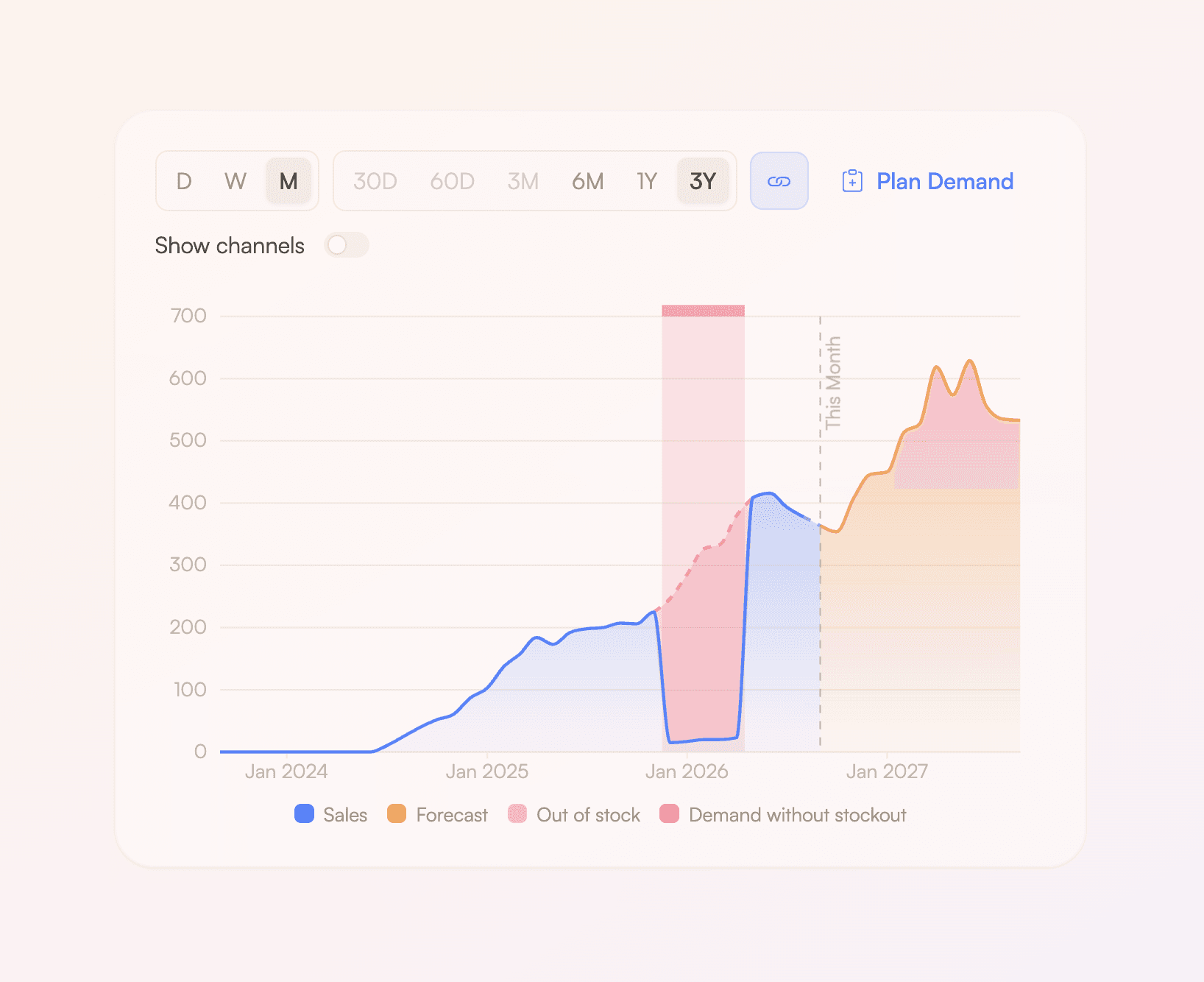
Selling out shouldn't lower your forecast
A week with no stock used to look exactly like a week with no demand — both are zero sales. This could drag down the forecast if it happened a lot. Rewize now finds the days each product was out of stock, estimates what you would have sold, and builds the forecast on that instead. Works automatically from the date you connected Rewize. You can mark earlier out-of-stock periods manually as well. Just drag over the chart.
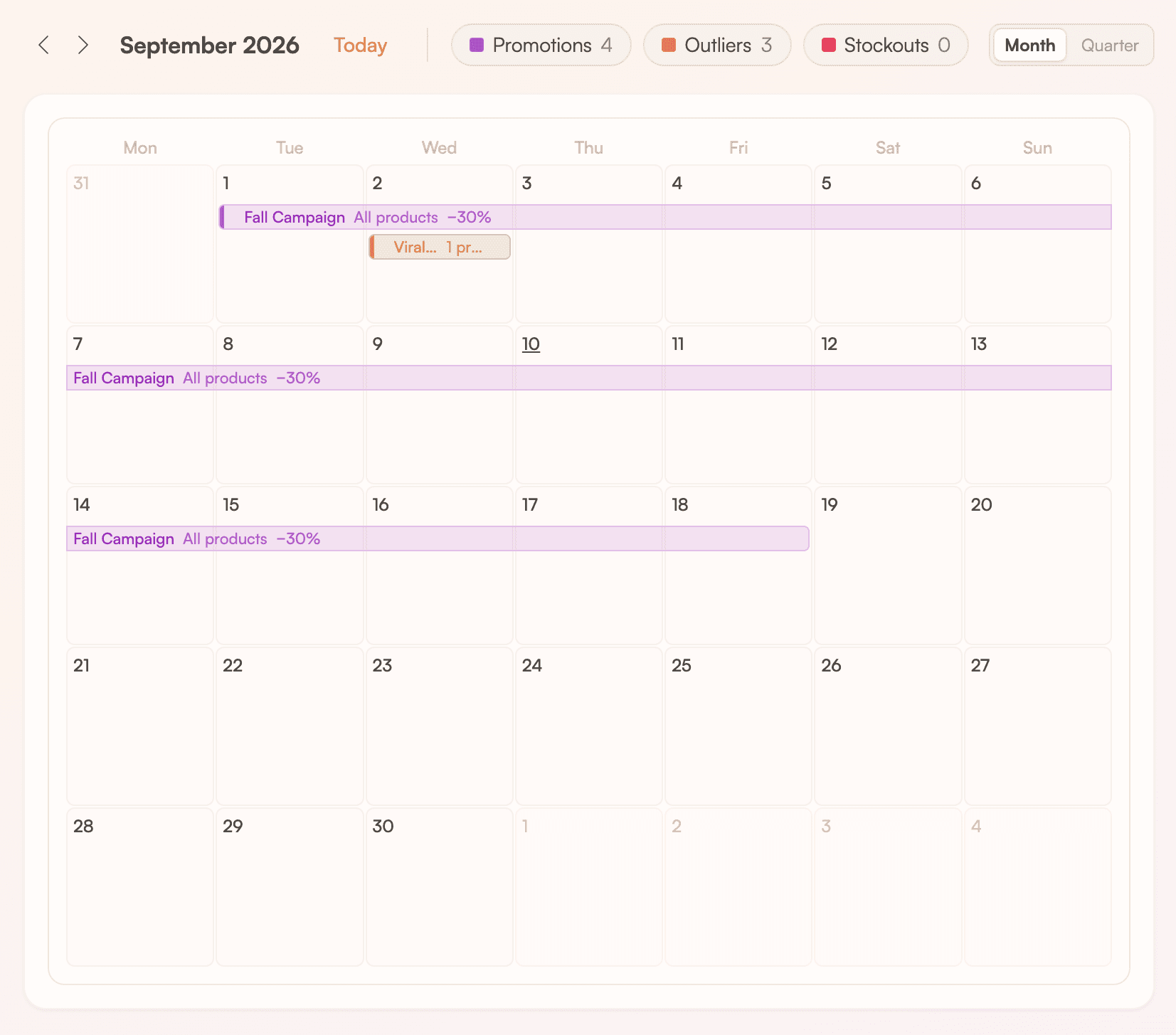
Put your marketing calendar into the forecast
Tell Rewize what you're running — a discount weekend, an influencer campaign, a press mention — and the forecast raises expected demand for those products on exactly the days it runs. Drag across the new Marketing calendar to add one, click a bar to edit it, or just tell Rey: “we ran 30% off on the black gloves last weekend.” It works out the lift from how that product and others behaved in previous promotions. The more data you add, the better it gets.
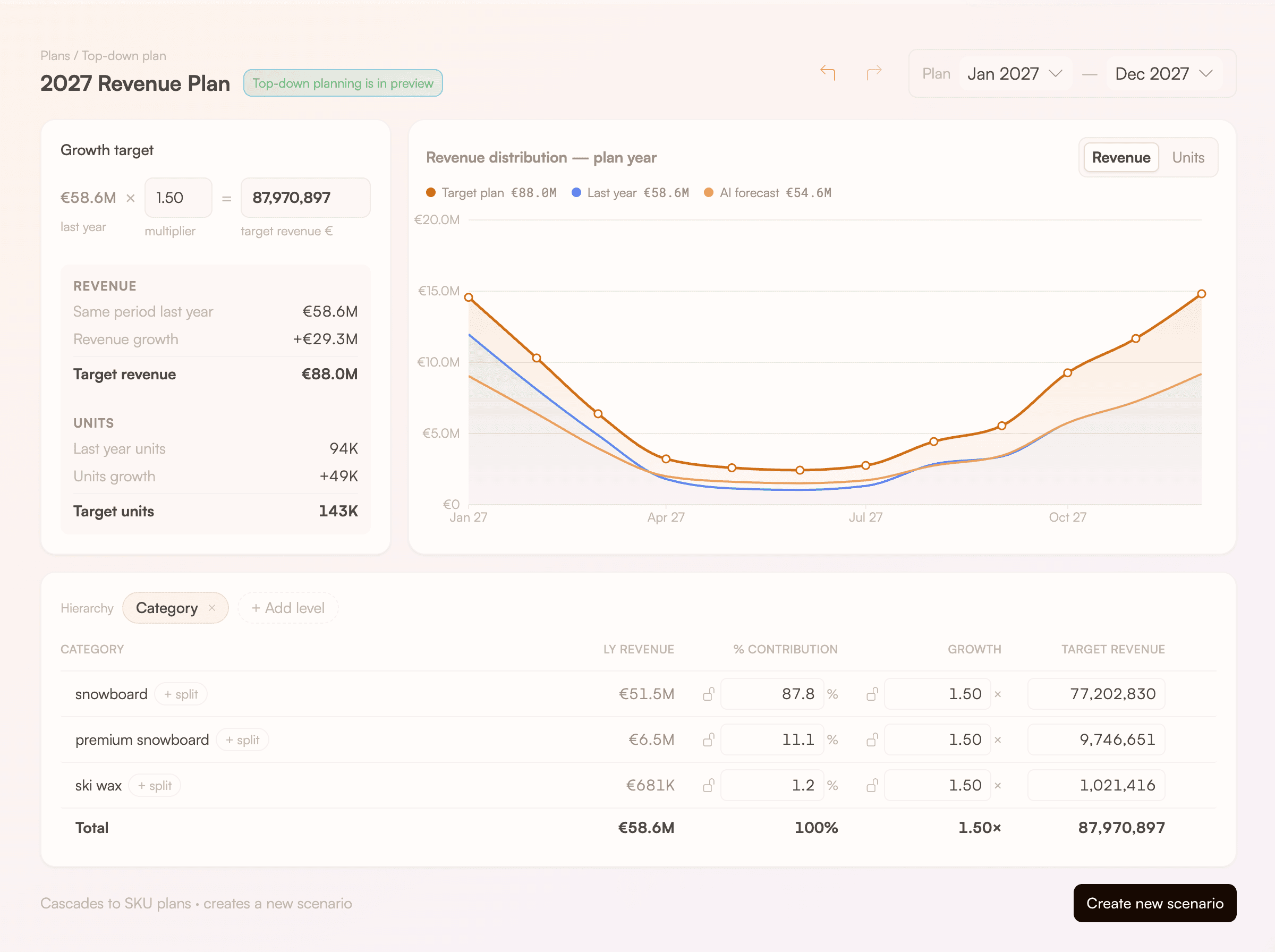
Plan top-down from your revenue goal
Set your growth goal for the year, then distribute that revenue over months, product categories, and more. Lock the targets you've already decided while the rest rebalances around them. One click cascades it down to a monthly plan per product, each one keeping its own seasonal shape, as a new scenario you can review before publishing. Rey can build the whole plan for you — including from a spreadsheet of targets you upload. This feature is in preview, let us know how we can make it better!
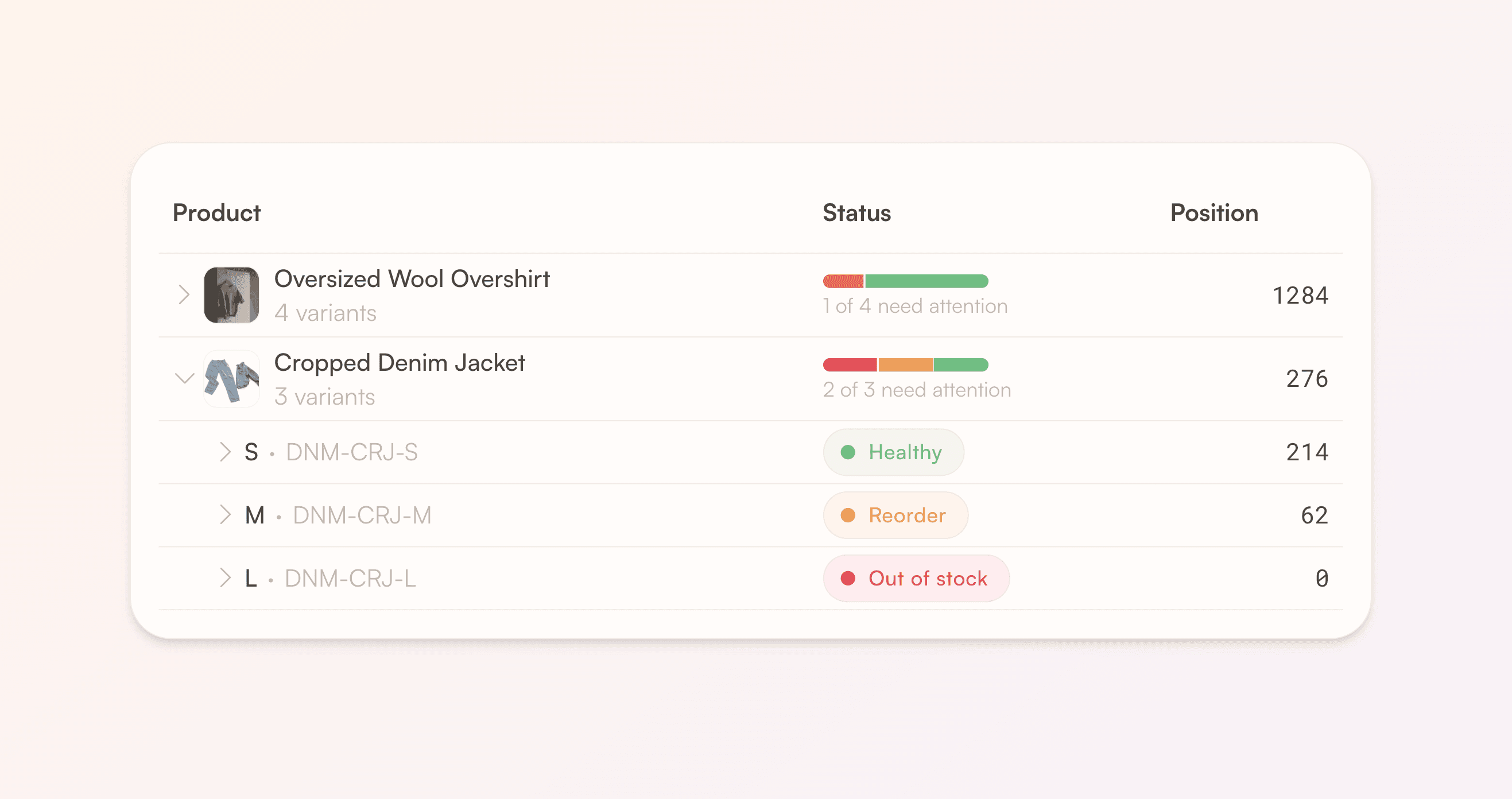
Start buying from the product level
Rewize can now show one row per product instead of one row per variant / SKU. Fashion and apparel customers asked for this most: see your styles, and open one to see its sizes. Each product row tells you how many of its sizes need attention, carries its own ABC class, and can be selected straight into a purchase order. Shopify stores only, for now.
Also shipped
Rewize now connects to Odoo
Shoot us a message if you'd like us to set up the integration with your Odoo.
Other forecasting improvements
We've worked on several other forecasting improvements. In particular around high growth, trend breaks, and young products.