
Meet the new Rey
Today we're reintroducing Rey. With a better home, more intelligence, and a Workspace to perform complex analyses, Rey is ready to take your operations to the next level.
A better home for Rey
Rey moved to the right side of the screen for easier access on every page. I personally like to open and close it with the keyboard shortcut ⌘. (Ctrl+. on Windows). Rey can see what you're looking at and execute nearly anything you can do in Rewize.
You can now view, manage, and continue all previous chats. Pin the ones you want to revisit later, and archive the ones you're done with.
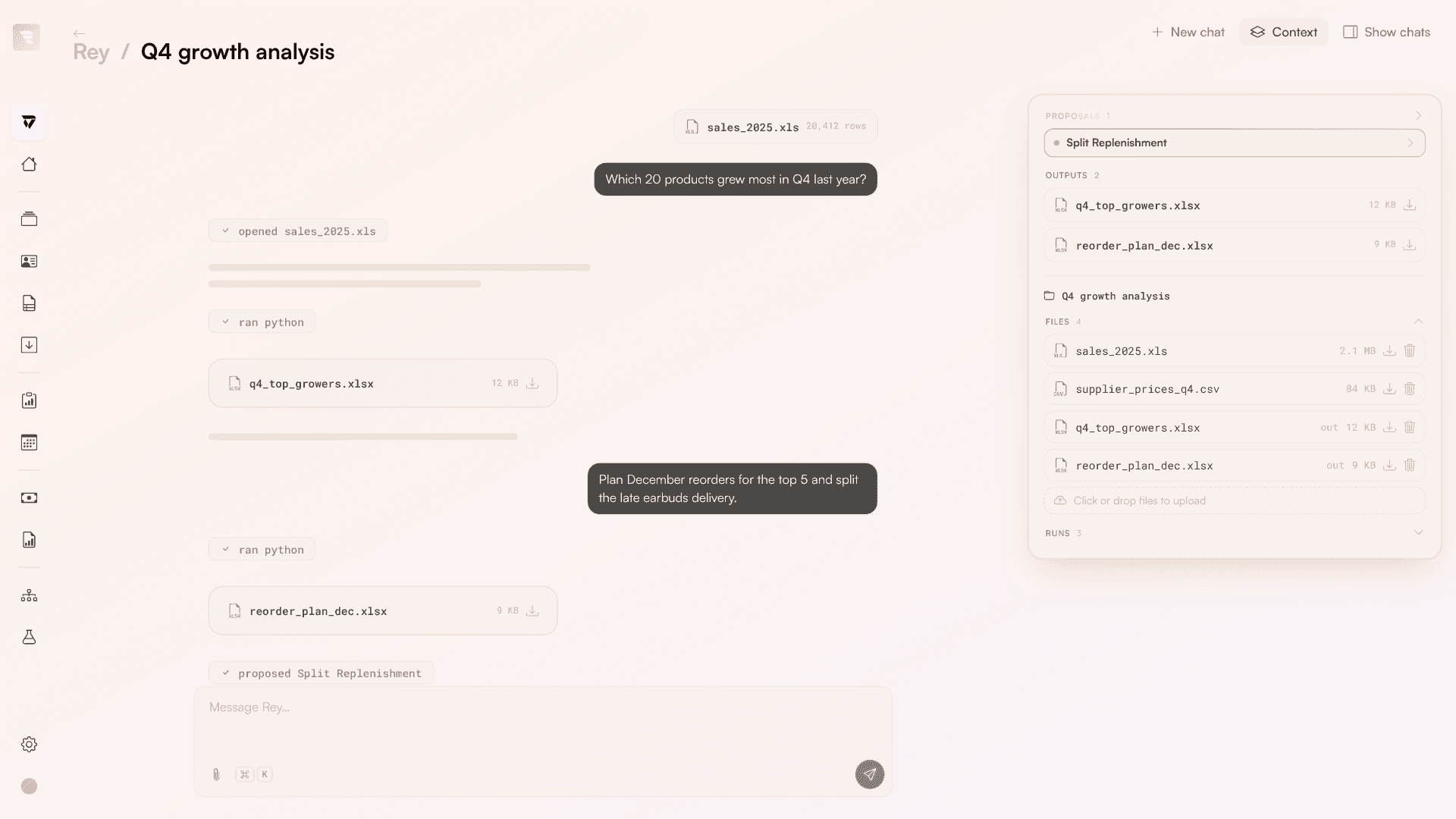
We also added a separate page where you can focus fully on the conversation and the work Rey performs. Wherever you're working with Rey, you can now see its context, files, and proposals in a side panel.
Workspaces for complex tasks
Rey's new Workspace deserves a special mention. You can consider it a sandbox where Rey can freely (and safely) run code, read Rewize data, and create and edit files to do complex, multi-step work. Every chat gets its own Workspace, and you can save Workspaces to return to the same files and context in a later chat.
This makes Rey a lot more capable when working with large amounts of data. Admittedly, Rey used to choke on spreadsheets with thousands of rows, or when creating a 300-line purchase order.
I'm happy to say that's no longer the case. With its new Workspace and tooling, Rey is capable of transforming data in any way imaginable and entering it back into Rewize in the way you want. If you tried to work with large spreadsheets or orders in the past and it didn't work, I challenge you to give it your most difficult task again.
Also shipped
Get around Rewize with keyboard shortcuts.
Press G then a letter to jump to a page, like G I for Inventory or G O for Orders. C creates something new, ⌘K asks Rey, and ? shows every shortcut.
Rey is upgraded to the latest frontier models.
This gives it a better understanding of Rewize and makes it more capable of completing complex tasks.
Preview Rey's files right next to the chat.
Click a spreadsheet, PDF or image Rey made, and it opens beside the conversation, so you can check it before you download it.
Pages fit with Rey open, even on a laptop.
Filters fold into compact buttons, and the side cards on an order shrink to icons when space is tight.