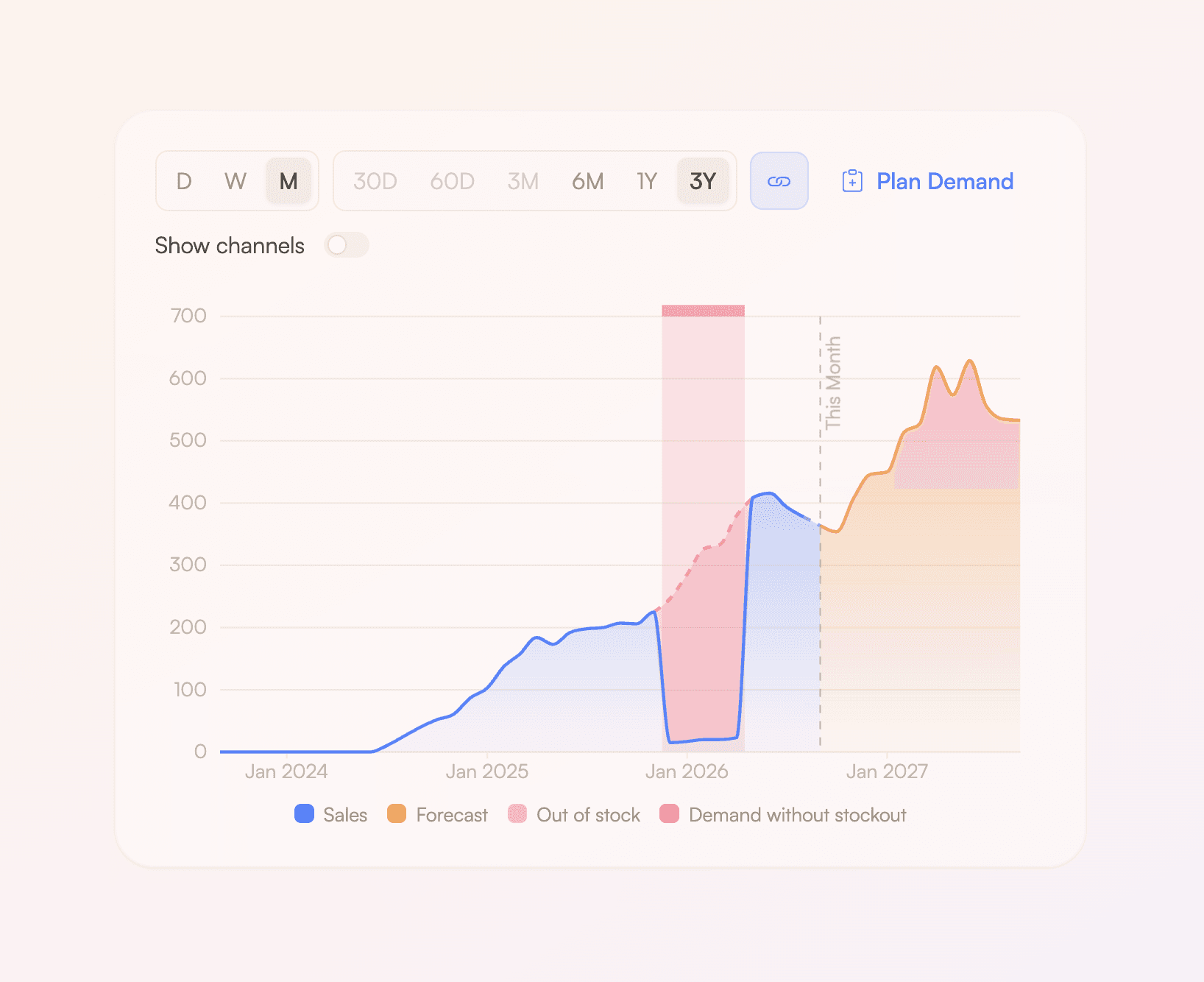
New in Rewize: document intelligence, payment tracking, landed cost
Three things shipped this month that cut manual work out of ordering.
Still checking supplier invoices by hand?
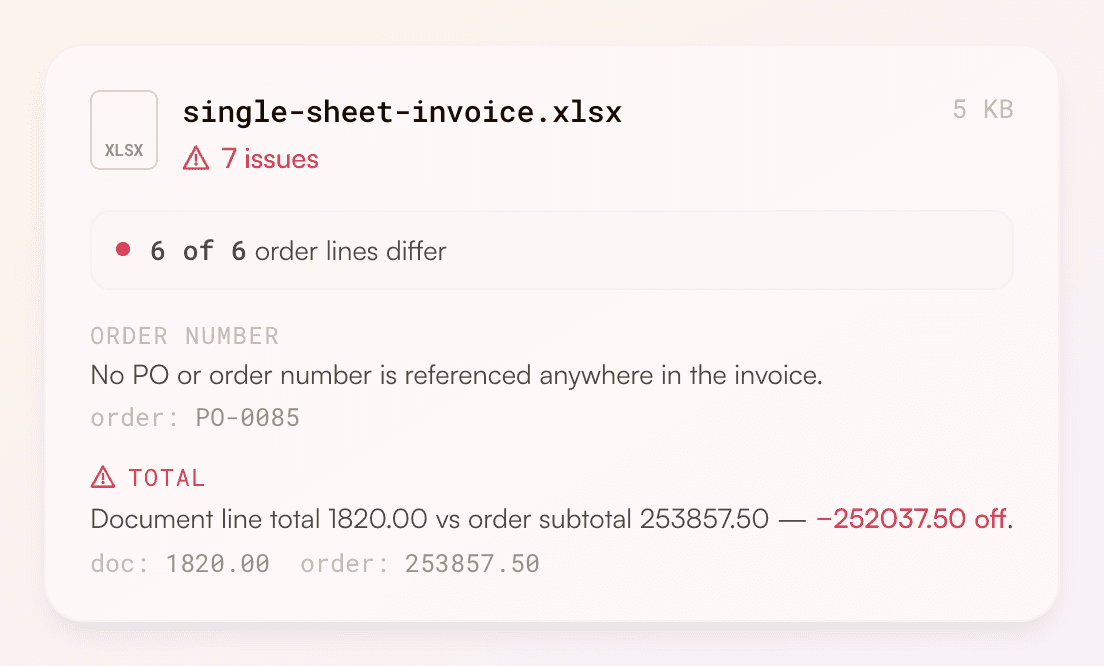
Drop a PDF, image, or spreadsheet onto an order and Rewize reads the whole document, pulls out every line, and checks it against what you ordered. On one single-sheet invoice it caught 7 issues before anyone paid: a missing PO reference, an unconfirmed supplier, and a line total that ran short of the order subtotal.
Not sure what's due this week?
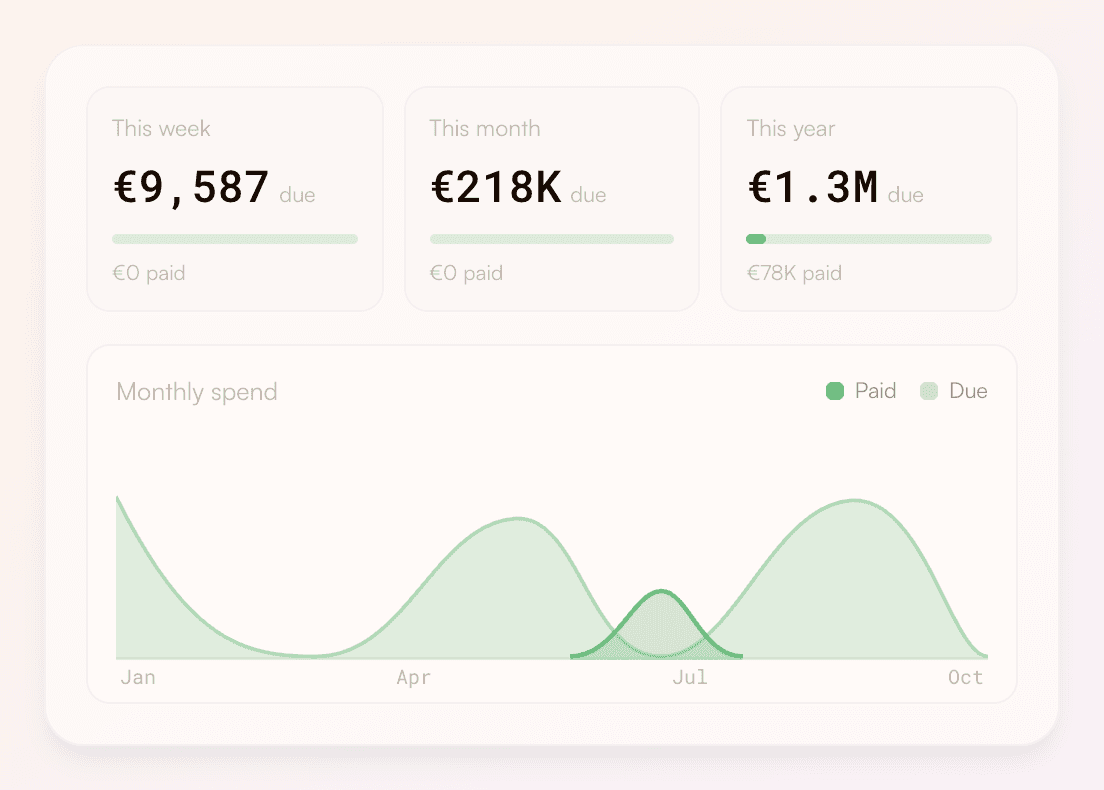
Every confirmed order now carries a due date, an amount, and a paid-or-due status, laid out on a payment calendar. See what you owe this week, this month, and across the year at a glance, and open any month to plan cash ahead of the bills landing.
Guessing at your true cost per unit?
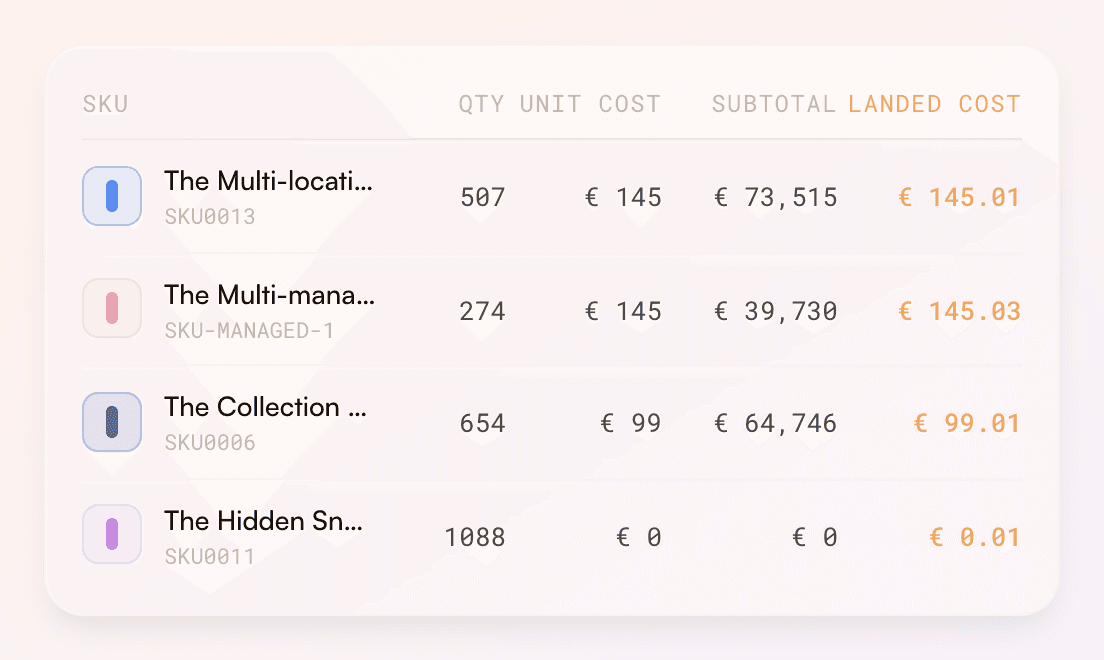
Duty, freight, and fees are now rolled into a landed cost shown right next to unit cost on every order line. Your margins reflect what you actually paid to get stock in the door, not just the invoice price — so pricing and reorder calls rest on the real number.
Also shipped
Push confirmed orders straight to your WMS
Replenishments are sent as expected inbound shipments to your WMS. Enable from Network > open location card > Push Replenishments.
Save and schedule reports
Define queries over your Rewize data and schedule them to receive them straight in your mailbox on a recurring basis.
Connect your tools and agents via API or MCP
We've launched our public API and MCP, allowing you to automate whatever you need from the agents and tools you already use. Get started using the docs